
From the Place Order click to the order in your Shopify admin — and where else it goes.
The buyer’s side
- The buyer opens the form, chooses a variant and any offer, and fills the fields.
- If a field is empty or wrong, a message appears under it and the form scrolls to it.
- If you set up an upsell as a pop-up, it appears when they press Place Order. Whatever they choose, the order is placed.
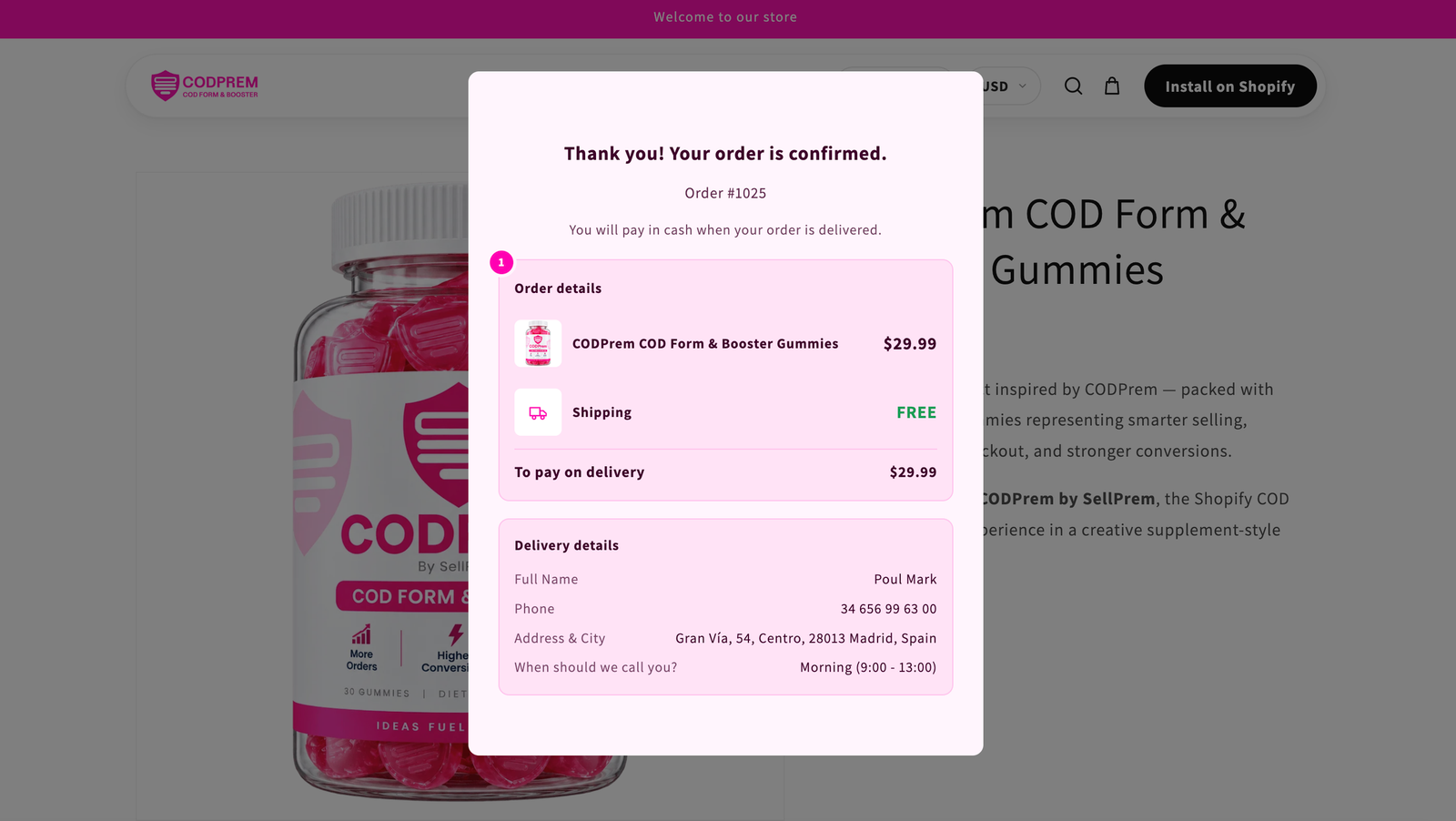
- The buyer sees your confirmation (or is sent to the page you chose under Settings → Thank You Page).
Your side
A real Shopify order is created, marked payment pending — the courier collects the money on delivery. On the order you’ll find:
- Every item, each offer’s discount applied as a line discount, and any add-on services as their own lines.
- The buyer’s delivery address and phone.
- Your Order tags (by default
CODPrem), plusCOD,Prepaidor the WhatsApp tag depending on which button they pressed, if Also tag orders by how they were paid is on. - Extra fields Shopify has no place for — a second phone, a custom field, the confirmation call time — as order attributes.
- Each line’s offer name (for example
Offer: Product Bundles), so you can see which offer sold. - Campaign (UTM) parameters, if Save campaign (UTM) parameters on orders is on.
If Save orders as draft orders is on (Settings → General), the order waits as a draft until you complete it yourself.

Where else it goes
After a few seconds (so Shopify has the finished order ready) it is sent to:
- your Google Sheet, if connected
- Telegram, if connected
- each of your webhooks
- your ad pixels, as the order event you chose
It also appears on the Dashboard in the orders list. If the shopper had been saved as an abandoned lead, that lead is marked Recovered.
Orders that count against your plan
An order counts once, when CODPrem successfully creates it in Shopify. Refused or failed attempts never count.