
Where to find answers and how to reach the CODPrem team.
The help button
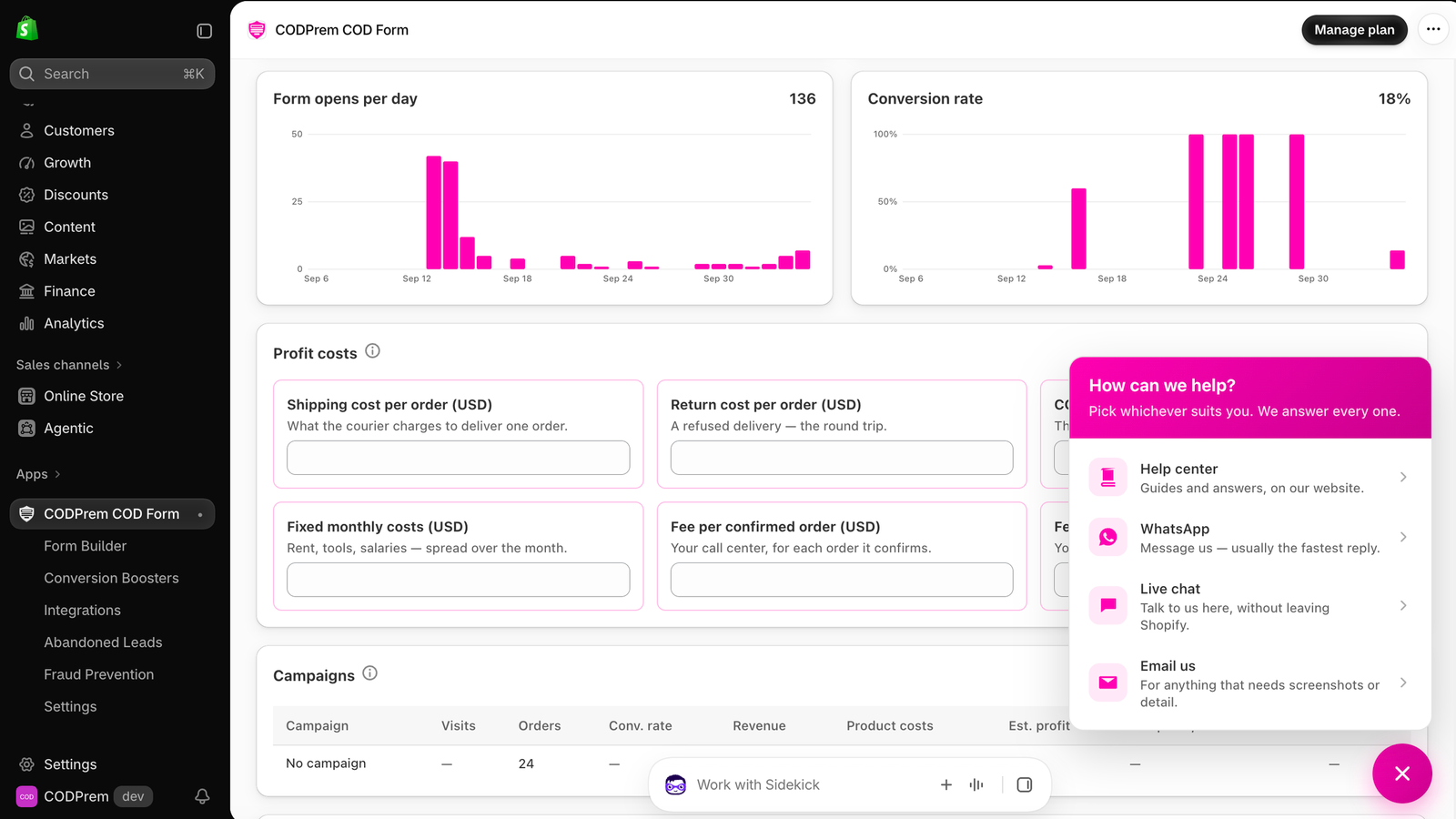
Every page of the app has a round help button in the bottom-right corner. It opens one panel with every way to reach us:
- Help center — guides and answers on this website.
- Email us — for anything that needs screenshots or detail. Available on every plan.
- Live chat — talk to us without leaving Shopify. Included with CODPrem Go and above.
- WhatsApp — usually the fastest reply. Included with CODPrem Go and above.
The (i) icons
Most settings in the app have a small (i) beside their title. Hover or tap it for a short explanation of what that control does.
Before you write to us
Including these makes the answer faster:
- Your store address (
yourstore.myshopify.com). - The page and section you were on.
- A screenshot of what you see, and of the product page where it happens.
- For an order problem, the order number.