
Show a last discount when a buyer closes the form without ordering.
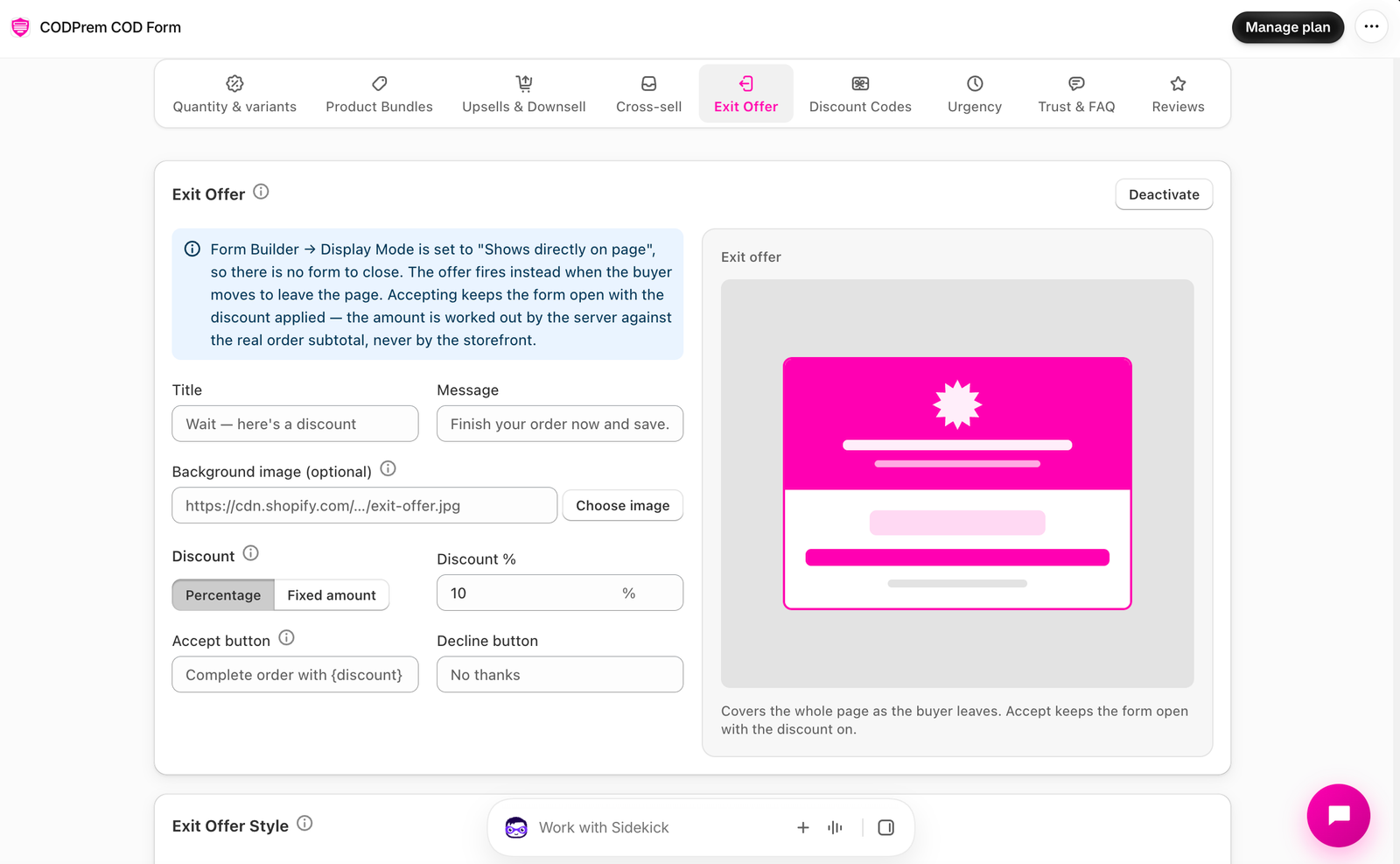
Go to Conversion Boosters → Exit Offer and press Activate.
When it shows
- In Pop-up, Sidebar and Hybrid forms: once, when the buyer closes the form without ordering.
- In Embedded forms there is no form to close, so it shows when the buyer moves to leave the page.
Set it up
- Title — e.g. “Wait — here’s a discount”.
- Message — e.g. “Finish your order now and save.”
- Optional Background image and Text color over the image (Light or Dark). A dark layer is always placed over the image so the title stays readable.
- Discount — Percentage or Fixed amount.
- Accept button and Decline button text.
- Save.
What happens on accept
The form stays open with the discount applied, shown as “Special discount” in the summary. It comes off the goods only — never shipping, and never more than the order is worth. A discount of 0 means the offer won’t appear.
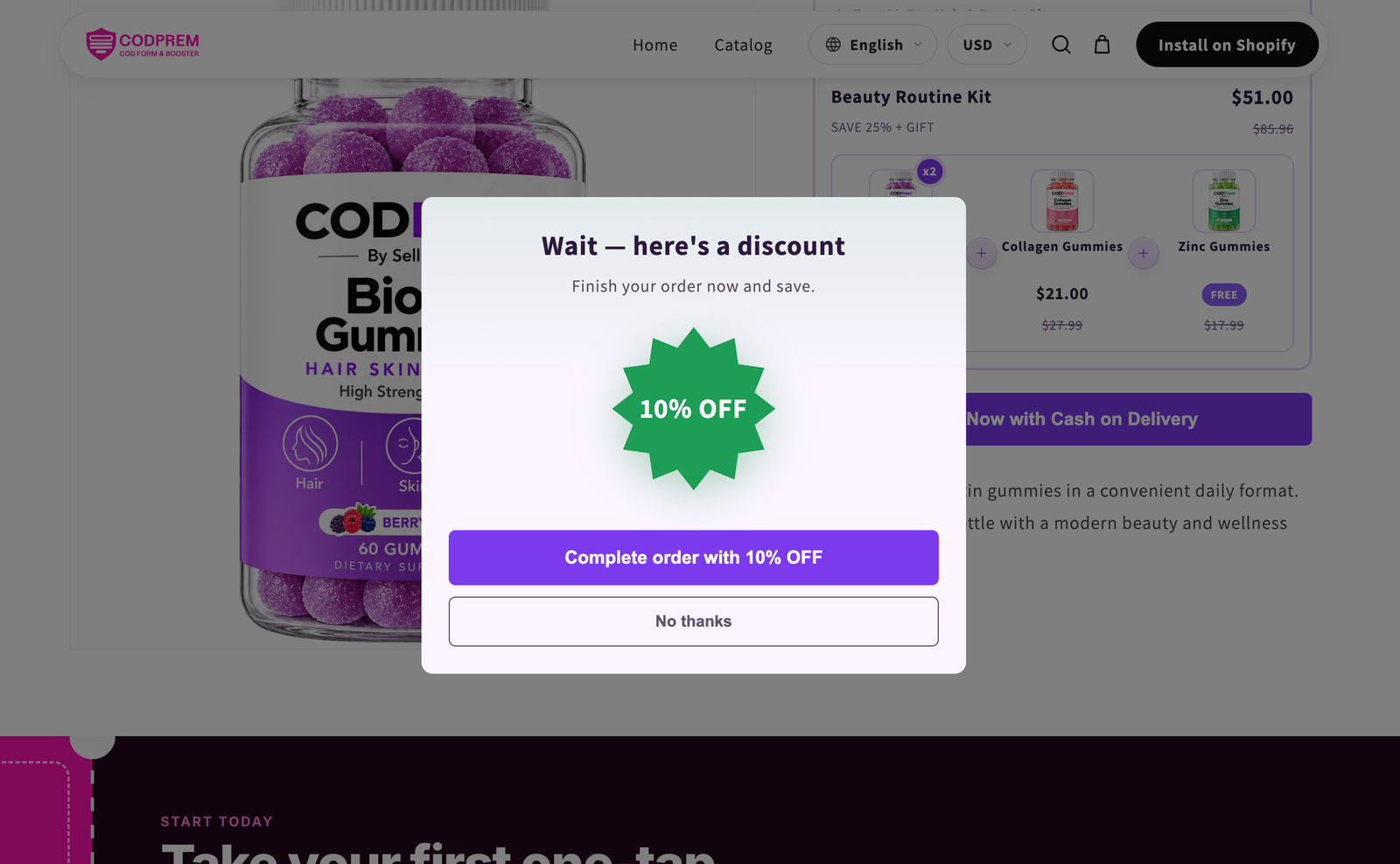
Exit Offer Style
Card colours, plus the Starburst color and Starburst text color.