
Split your shoppers between two or three versions of the form and find out which one makes more money — judged on delivered orders, not clicks.
Go to Form Builder → A/B Testing. Available on CODPrem Boost (one test at a time) and CODPrem Pro (several tests, on different products).
Create a test
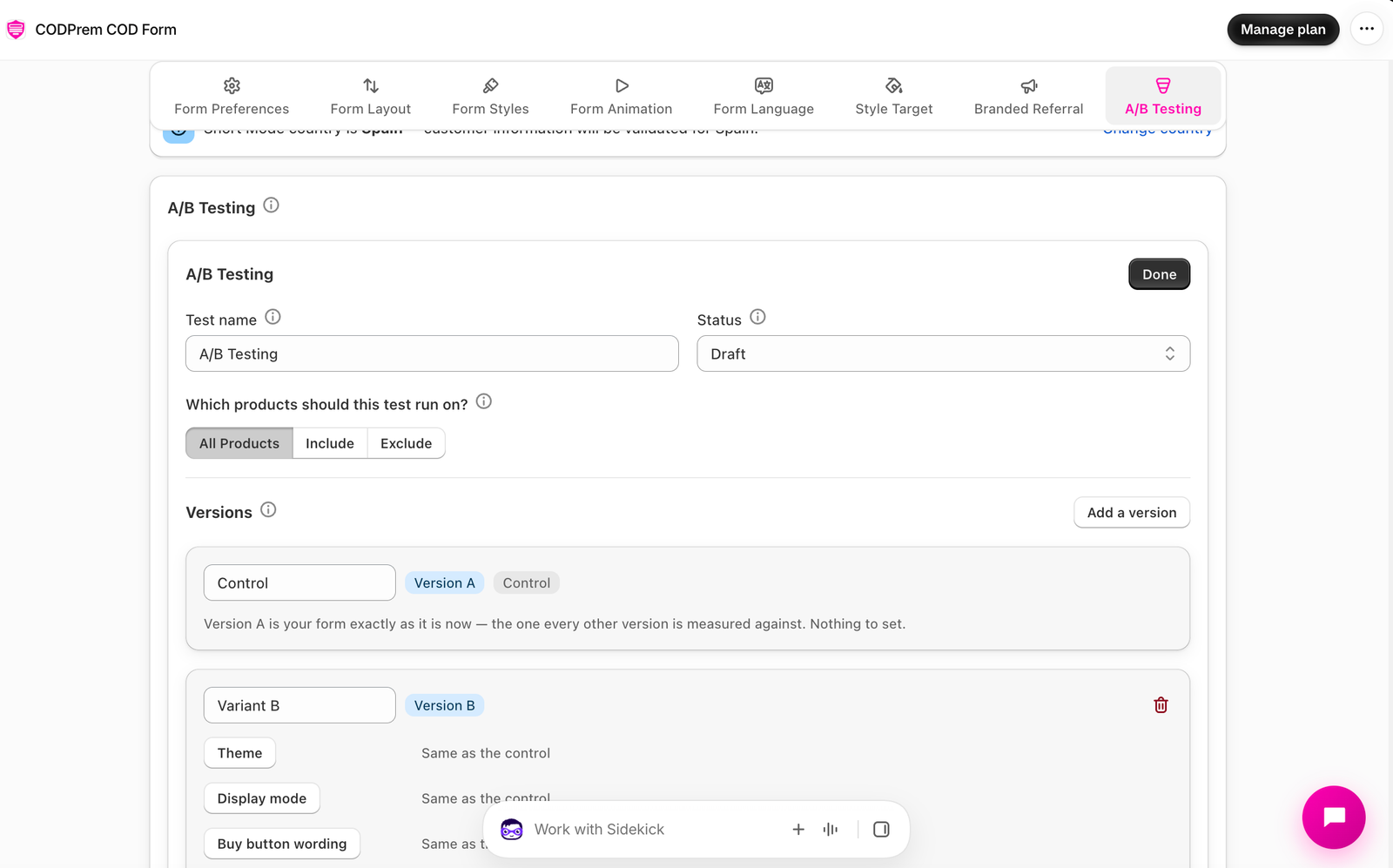
- Press Add test and name it, for example “Pop-up vs Embedded”.
- Choose which products the test runs on (all products, or specific products or a collection).
- Under Versions, Version A (Control) is your form exactly as it is now. Nothing to set.
- For Variant B, switch on what changes — the theme, the display mode, the buy button wording, the Place Order wording, or which offer sections are on.
- Optional: Add a version for a third one.
- Set Status to Running and save.
Change as few things as possible per version. If a version changes five things, you learn which version won but not which change did it.
How shoppers are split
Each shopper is put in one version and stays in it, so the form never changes under them. Every order records which version it came from.
Reading the results
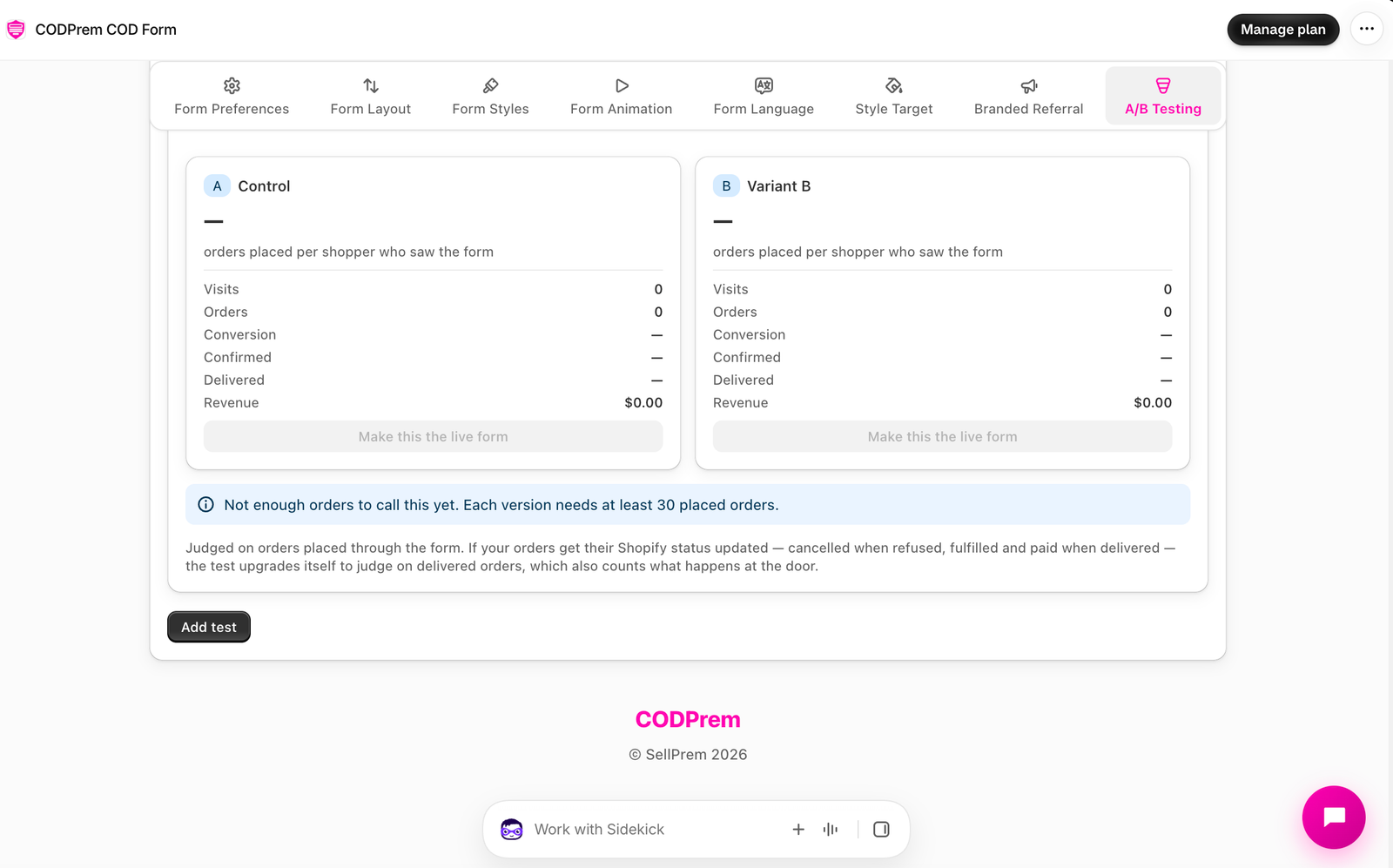
For each version you see Visits, Orders, Conversion, Confirmed, Delivered and Revenue.
- At first the test is judged on orders placed.
- Once at least half the orders have a delivery outcome — from your Shopify statuses, the Delivery dropdown on the Dashboard, or your Google Sheet’s Delivery column — it switches to judging on delivered orders, which also counts what happens at the door.
Wait until a version is marked Ahead with enough orders before deciding. A test needs about 30 orders per version.
Declare a winner
Press Make this the live form on the winning version. Its changes become your normal form and the test stops.
Two tests on the same products
A shopper can only be in one test at a time. If two running tests cover the same products, the more specific one wins (a product test beats a collection test, which beats an all-products test). The panel warns you when a test can’t show to anyone.