
Cap how many orders one shopper can place, and how many units they can choose.
Go to Fraud Prevention → Order Limits and press Activate. Both limits are checked on our server, so they can’t be walked around from the browser.
Orders per customer
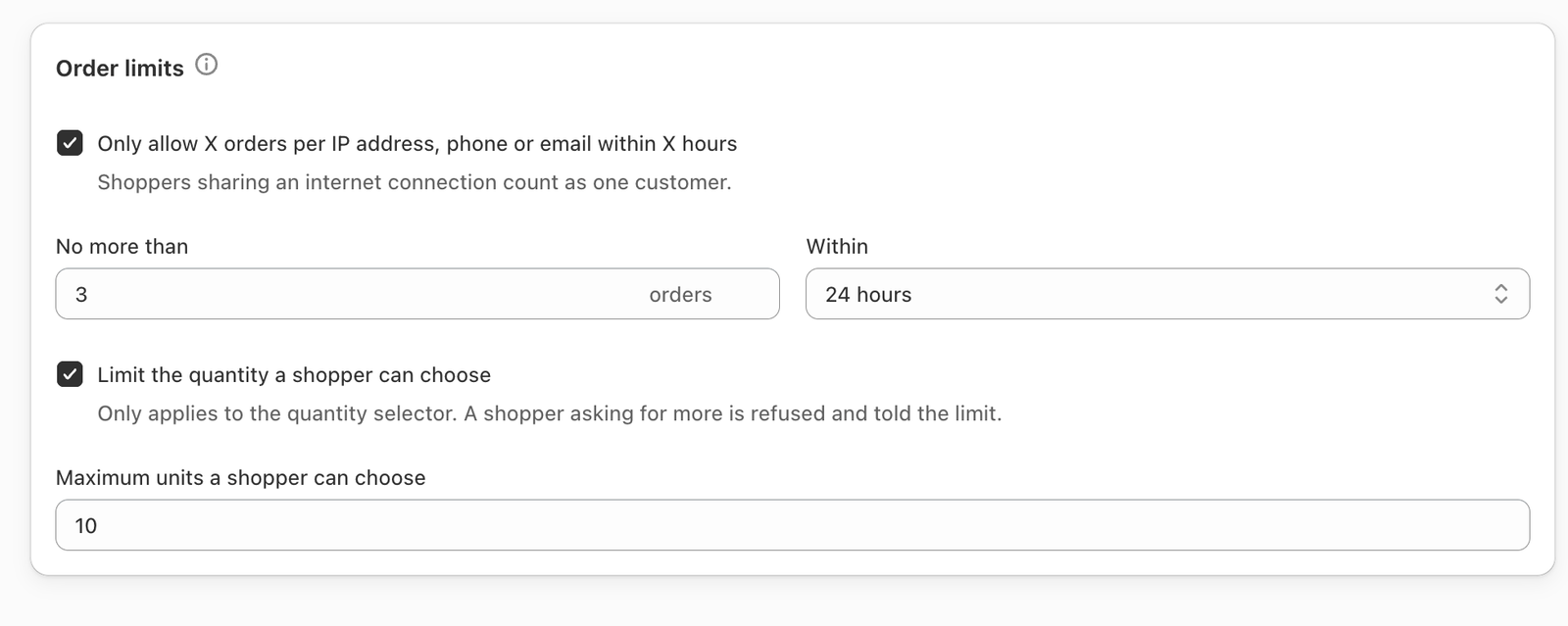
Tick Only allow X orders per IP address, phone or email within X hours, then set No more than … orders Within … hours.
A shopper is matched by IP address, phone number or email — any one is enough — and only completed orders count. Because an IP address counts, people sharing a connection (a household, an office, a mobile network) count as one customer. Set the limit high enough to allow for that.
Maximum quantity
Tick Limit the quantity a shopper can choose and set Maximum units a shopper can choose.
This caps the quantity selector only. Bundles and quantity tiers are not capped — those quantities are offers you configured, so a “buy 10 get 5 free” tier is still allowed. A shopper asking for more is refused and told the limit.