
Refuse orders from phone numbers, emails, IP addresses and postal codes you’ve had trouble with.
Go to Fraud Prevention → Blocklist and press Activate.
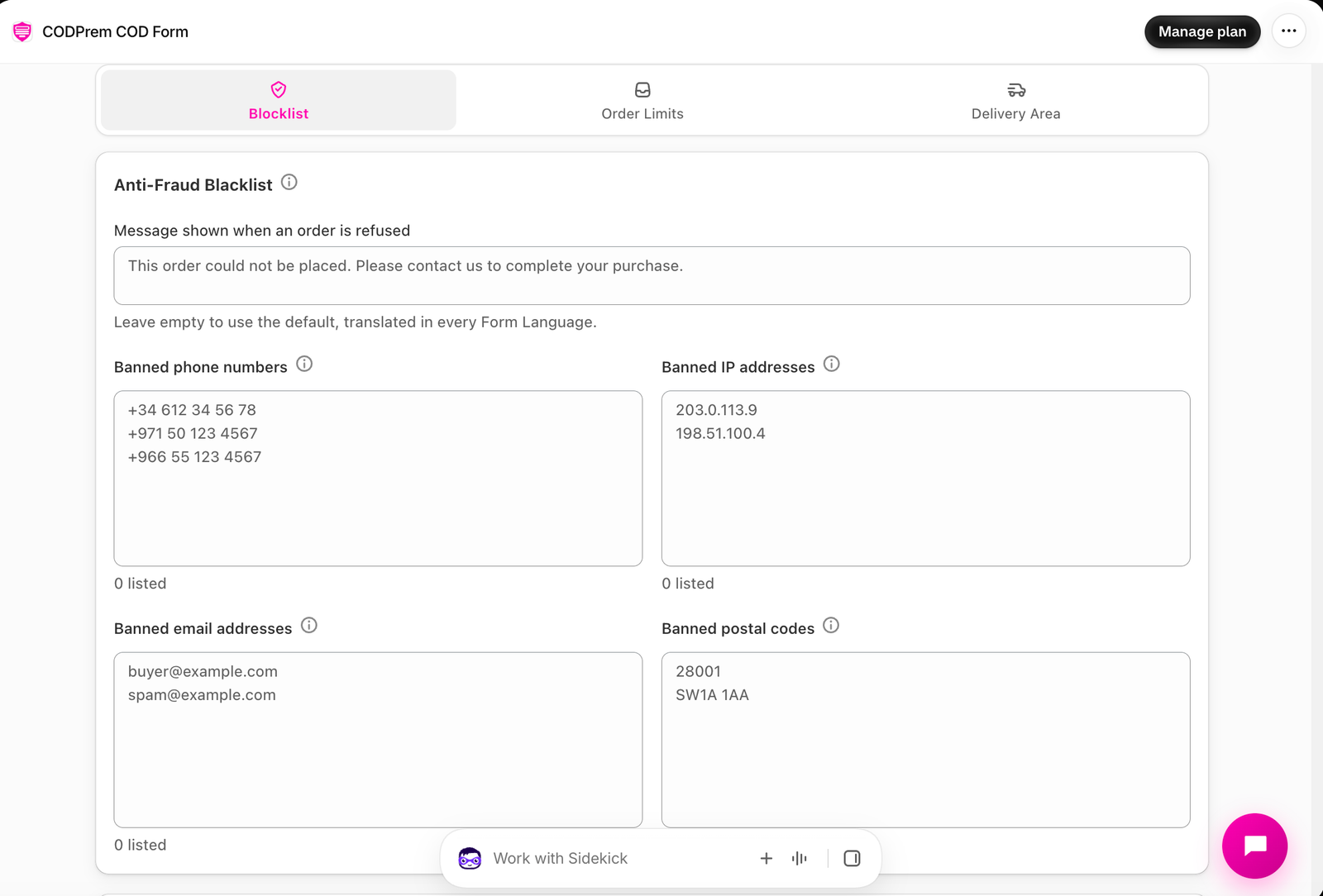
Add entries
Each list takes one entry per line:
- Banned phone numbers — any format. Only the last nine digits are compared, so
+212 612-34-56-78and0612345678are the same number. - Banned IP addresses — invalid addresses are dropped when you save. Only applies when the shopper’s own address reaches the app; when it can’t be identified, this list is skipped rather than risk blocking everyone on a shared connection.
- Banned email addresses — Standard Mode only (Short Mode collects no email).
- Banned postal codes — spaces and case are ignored. Standard Mode only.
Save with the bar at the top.
What the buyer sees
Message shown when an order is refused — leave it empty to use the default, already translated in every form language. The message doesn’t say which rule refused them, on purpose.
A blocked order is refused on our server before it is created, so it never reaches your Shopify admin. Your lists are never sent to your storefront.
What your list has stopped
Below the lists, each entry shows how many orders it has refused and when it last did.
Tips
- Add a number after a refused delivery or a prank order.
- Be careful with IP addresses: in many countries large numbers of real customers share one mobile network address. Phone numbers are the safer list.