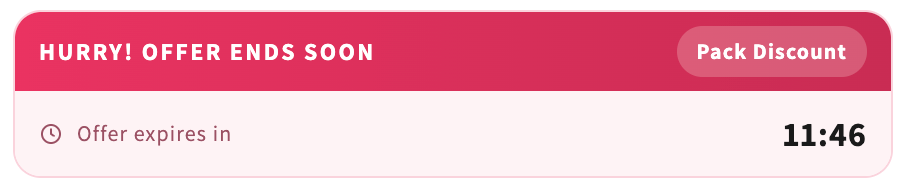
Add a ticking countdown and a low-stock bar to the top of your form.
Go to Conversion Boosters → Urgency and press Activate. Each of the two features has its own Activate/Deactivate button.
Countdown Timer
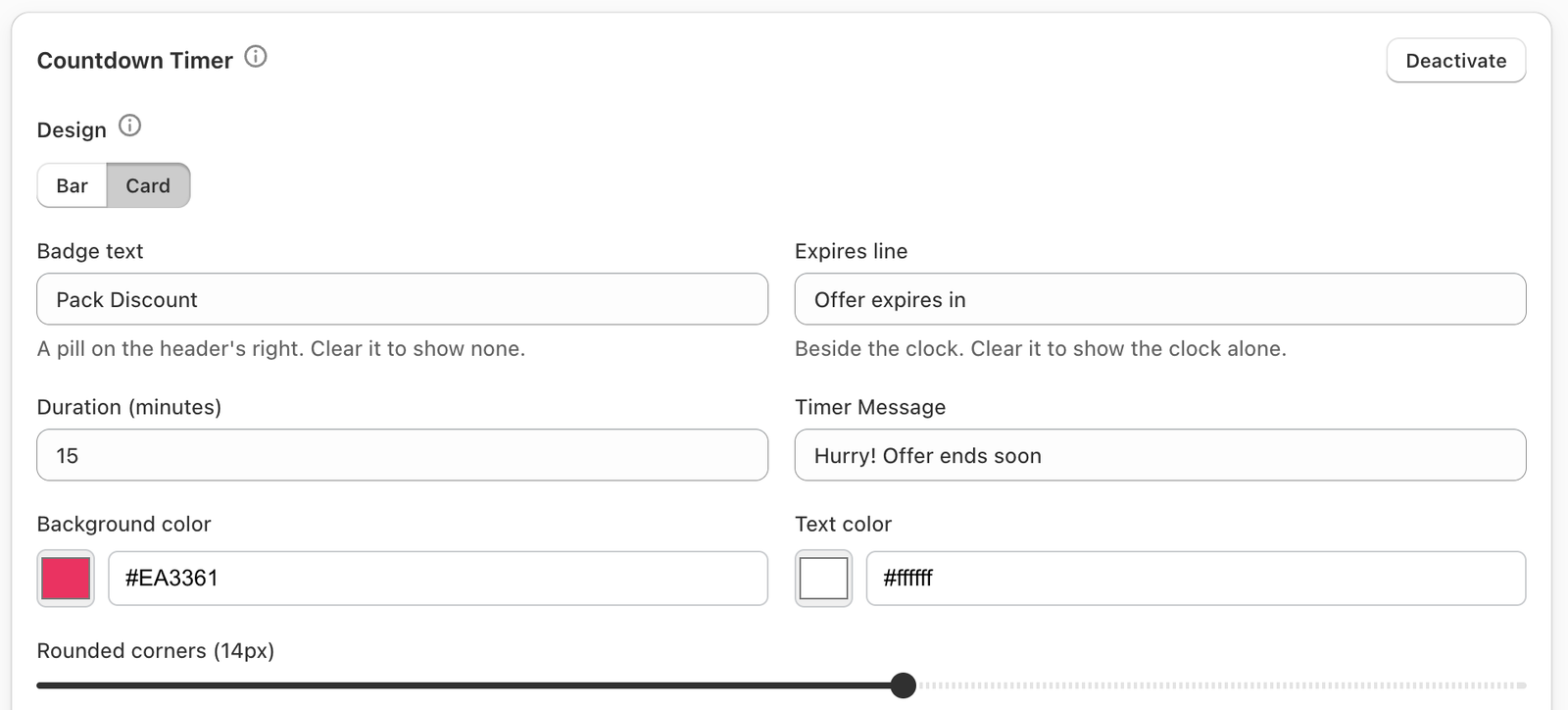
- Design — Bar (one coloured pill with the message and the clock) or Card (a coloured header with the message and an optional badge, over a row with the ticking clock).
- Duration (minutes).
- Timer Message — e.g. “Offer ends in”.
- For Card: Badge text and Expires line. Clear either to hide it.
- Background color, Text color, Rounded corners.
Stock Scarcity Bar
A bar that fills in proportion to the stock left, with a message such as “Only 7 left in stock!”.
- Low Stock Threshold — the bar shows when stock is at or below this number.
- Bar style — Bar start color, Bar end color (leave empty for one solid colour), Track color, Text color.
The bar reads your real Shopify inventory, so it never shows an invented number. A variant set to keep selling when out of stock is never shown as “Out of stock”.
Both features follow Product Targeting at the foot of the page.